
Identifying Digital Content to Preserve
Below is listed a summary about how to proceed to archive digital content of a person leaving CERN. It can be used as a checklist by CERN Departmental Record Officers (DRO) in order to check that the data produced by a given person is not going to be lost.
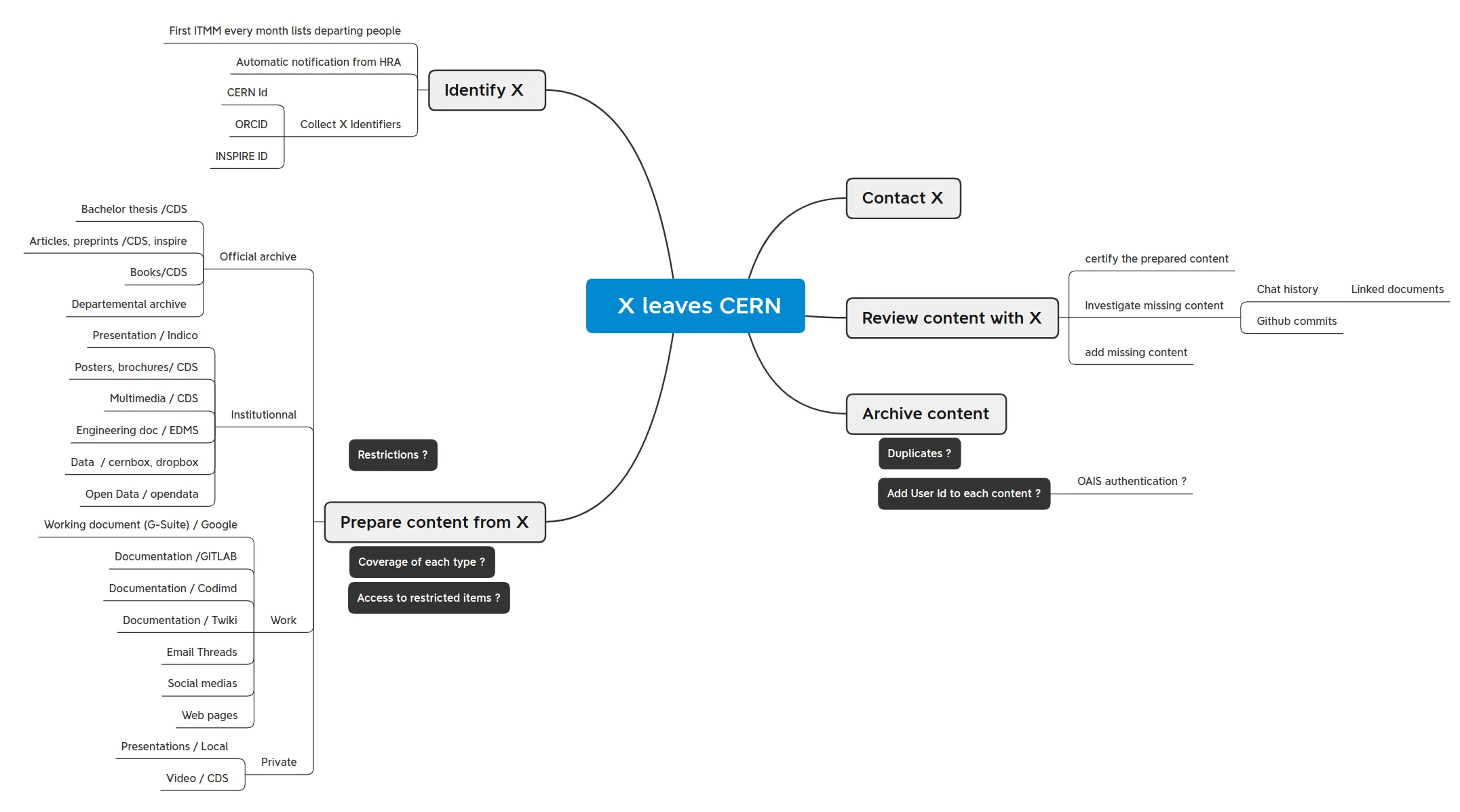
The steps are:
- Collect all the ids of the user, e.g. CERN Id, INSPIRE Id, ORCID
- Identify from X’s “Local Stores” – = documents that are not loaded to an Information System – the items that should actually be submitted to a supported Information System
- X should submit these ‘local’ documents to the corresponding Info. Systems.
- Identify within the existing Information Systems all documents authored by X, using Ids and full name
- From the listing, decide – with users + criteria – which documents are valued to be preserved long-term (indefinite timing)
- With the Control Interface, trigger the creation of the Preservation Bags for each document
- Identify from X’s “Local Stores” the documents not in Info. Systems but doomed to be preserved long term.
- X should organize the data to be preserved with meaningful folder/file names, and optionally add a metadata file (csv template) to describe each content. Each item should be zipped.
- Using the Control Interface, trigger the baggit-create with ZIP transfer option
- Review the list of X's Preservation Bags available in the Registry of CERN OAIS Archive